HALO vs Everything: Which Local Search Tool Is Right for You
 Looking for a faster solution?Download HALO Free →
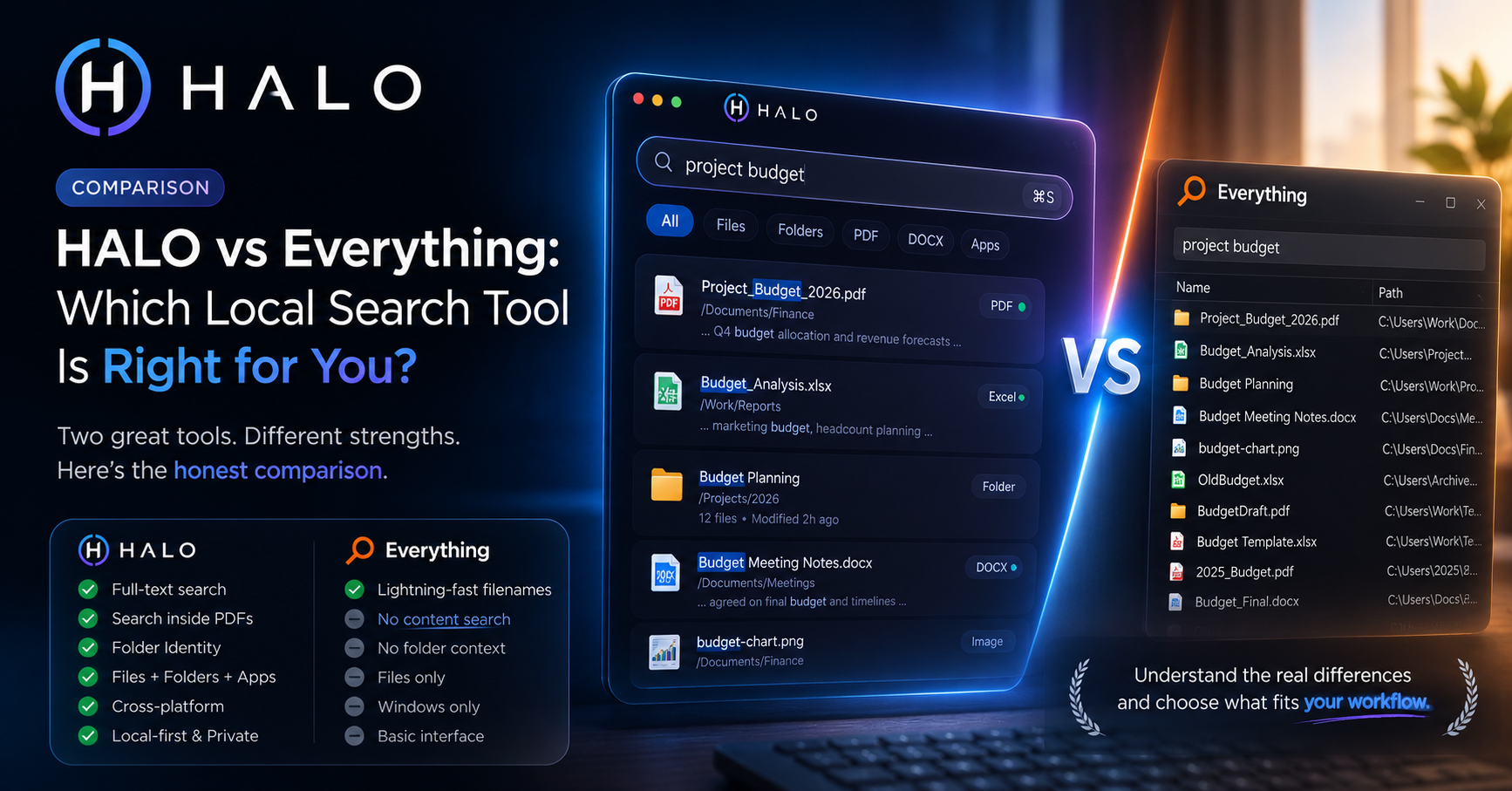
If you've used Windows for a while and you're serious about finding files fast, someone has probably told you to install Everything. It deserves the reputation. It's also not the same kind of tool as HALO, and the honest answer to "which one should I use" is sometimes "both."
Here's where they actually differ.
What Everything is really good at
Everything, made by voidtools, indexes filenames by reading the NTFS Master File Table directly. That's a very different approach from scanning folders, and it's why Everything can index a drive with a million files in seconds and return search results as you type, before you've finished typing the word.
If your problem is "I know the filename, I just can't remember which of nine folders I put it in," Everything solves that better than almost anything else that exists. It's free, it's lightweight, and it's been refined for close to two decades.
Where it stops
Everything indexes filenames and folder paths. It doesn't index the text inside your files by default. There's a plugin system that adds content search for specific formats, but it's a separate install, separate configuration, and separate maintenance, not something that works out of the box.
It's also Windows only. If you work across a Mac and a PC, or your team does, Everything simply isn't there for the other half of your machines.
What HALO does differently
HALO indexes file content, not just filenames. PDFs, DOCX, PPTX, XLSX, code files, plain text, and (through Vision Search) even text inside images and scanned documents. Search for a phrase you remember from inside a report and HALO finds the file, not just files that happen to have that phrase in their name.
It also runs on macOS, Windows, and Linux, with the same interface and the same local index format on each. And everything stays on your machine. No cloud sync, no telemetry, nothing leaves the device.
The tradeoff is speed on pure filename lookups. Everything's MFT trick is a genuinely clever piece of engineering that's hard to beat for that one specific task. HALO is fast (typical searches return in well under 100 milliseconds even on drives with tens of thousands of indexed files), but it's not reading the MFT directly, so on raw filename speed at very large scale, Everything usually has the edge.
Side by side
| Everything | HALO | Other Tools (Spotlight, Alfred, Raycast, Windows Search) | |
|---|---|---|---|
| Platform | Windows only | macOS, Windows, Linux | Single platform each |
| Filename search | Extremely fast | Extremely fast | Good, not MFT-level |
| Content search (PDF, DOCX, etc.) | Plugin required | Built in | Limited or none |
| OCR / text in images | No | Yes (Vision Search) | No |
| Folder organization / identity | No | Yes | No |
| Price | Free | Free tier, Pro €25.99 one time | Free or paid, varies |
| Cloud/telemetry | None | None | Varies, some send data for smart suggestions |
| OneDrive / cloud drive folders | No | Coming soon (Windows release) | Varies |
Which one should you use
If you're on Windows and you almost always know the filename you're looking for, Everything alone might be enough, and it costs nothing to find out.
If you regularly need to find a file by something written inside it, if you work across Mac and Windows, or if you want your folders to carry some visual organization beyond a flat file tree, that's the gap HALO is built for. A fair number of people end up running both: Everything for the split second filename lookup, HALO for everything content related.
Ready to Search Faster?
Whether you're searching inside PDFs, Office documents, folders, or images, HALO keeps everything local, private, and instantly searchable.