HALO vs Spotlight: Is Apple's Built-In Search Good Enough?
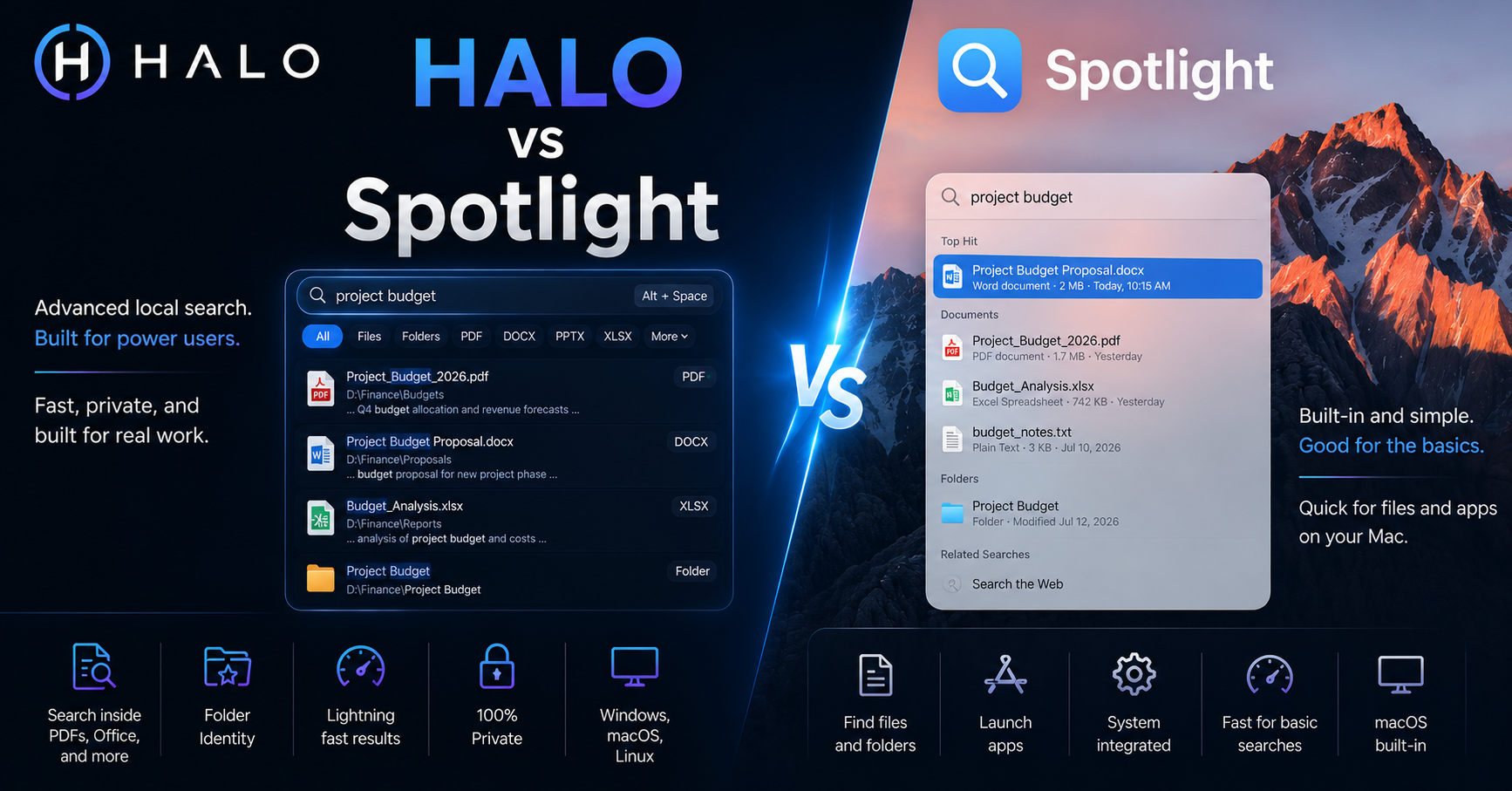 Looking for a faster solution?Download HALO Free →
Spotlight is the search bar every Mac owner already has, press Cmd+Space and it's there. That convenience is real, and it's why most people never think to look for anything else. But convenience and capability aren't the same thing, and it's worth being honest about where the gap actually is.
What Spotlight does well
For quick app launching, unit conversions, dictionary lookups, and finding a file you opened recently, Spotlight is fast and it just works, no setup required. It's deeply integrated into macOS, understands Mail, Messages, Calendar, and Notes, and for a huge share of daily searches, it's genuinely the right tool because it's already open.
Where it gets inconsistent
Content search is the recurring complaint. Spotlight indexes text inside many file types, but coverage is uneven, DOCX and PDF often work, some code files, log files, and less common formats don't get indexed reliably, and results can lag behind recent file changes, especially right after copying in a large batch of files.
There's also a privacy dimension worth naming directly. Spotlight Suggestions, the feature that blends web results into your search, sends part of your query to Apple's servers by default. Apple's documentation is upfront that this happens, and it's toggleable in System Settings, but many people don't realize it's on. For anyone searching client files, legal documents, or anything they'd rather keep entirely local, that's worth knowing, not scaremongering, just a fact worth checking.
What HALO does differently
HALO indexes file content specifically, PDFs, DOCX, PPTX, XLSX, code, and plain text, using SQLite FTS5 running entirely on your machine. No query, suggestion, or search term ever leaves the device, there's no toggle to check because there's no cloud connection to begin with. It also runs the same way on Windows and Linux, useful if you're not a Mac-only household.
The tradeoff: Spotlight is already installed and already fast for the basics. HALO is a separate download, and it's overkill if all you ever search for is "which app was that."
Side by side
| Spotlight | HALO | |
|---|---|---|
| Platform | macOS only | macOS, Windows, Linux |
| Setup | None, built in | One download |
| App launching | Excellent | Good |
| Content search (PDF, DOCX, etc.) | Inconsistent | Built in, consistent |
| OCR / text in images | No | Yes (Vision Search) |
| Folder organization / identity | No | Yes |
| Cloud/telemetry | Suggestions sends query data (toggleable) | None, ever |
Which one should you use
If your searches are mostly "launch this app" or "find the file I just saved," Spotlight already does the job, no reason to add another tool. If you're regularly hunting for a phrase buried inside a document, working across more than just a Mac, or you want folders that carry more structure than a flat list, that's where HALO earns its place. Plenty of people keep both, Spotlight for the instant reflex, HALO for the deeper search.
Ready to Search Faster?
Whether you're searching inside PDFs, Office documents, folders, or images, HALO keeps everything local, private, and instantly searchable.