Customize Folder Icons: Give Every Folder Its Own Identity
 Looking for a faster solution?Download HALO Free →
Every folder on a default Windows or Mac install looks the same, a plain manila icon, distinguishable only by reading the tiny text label underneath. That's fine with ten folders. It stops working somewhere around thirty, when "Client Files," "Client Documents," and "Client Work" all sit in a row looking identical, and finding the right one means reading labels one at a time instead of just glancing.
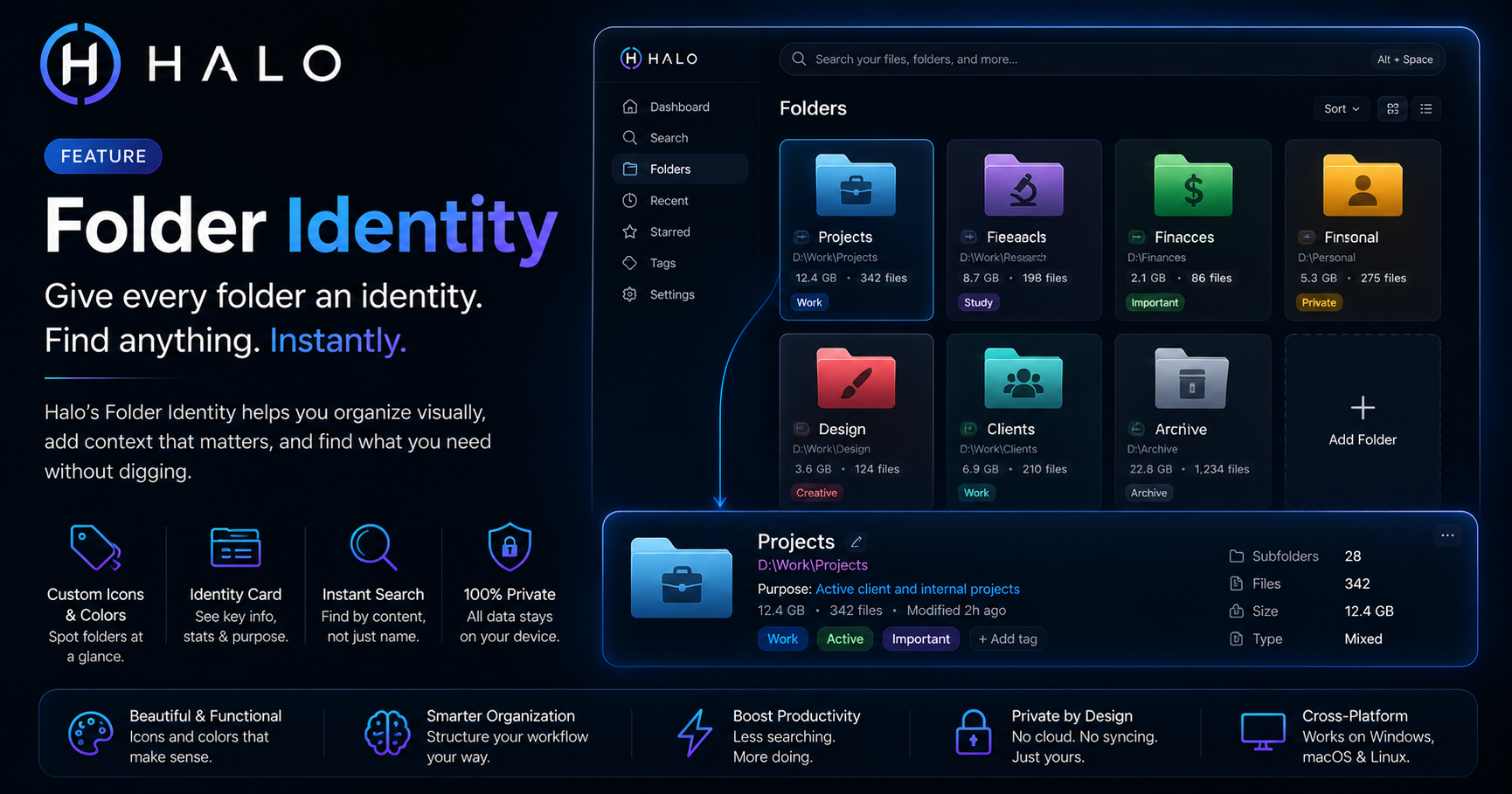
Folder Identity is HALO's answer to that: every folder gets a color and an icon, chosen by you or suggested automatically, so recognizing a folder becomes a half-second glance instead of a read.
How to customize a folder icon in HALO
- Open HALO and select any tracked folder
- Click the icon or color swatch next to its name
- Pick from 250+ icons across 20 categories, or type to search (kitchen, legal, invoices, photography, whatever fits)
- Choose a color, or let HALO suggest one based on the folder's name and contents
- Click Apply, the change shows up in Finder or Explorer immediately, not just inside HALO
That's the whole process. No registry edits, no manually sourcing .ico files from icon packs, no right-click-Properties-Customize dance repeated for every folder one at a time.
Automatic suggestions, not just manual picking
HALO's keyword engine looks at a folder's name and suggests an icon and color automatically, over 40 keyword rules covering common folder types: invoices, contracts, photos, research, client work, and more. Rename a folder to something HALO recognizes, and it'll offer a fitting icon before you even ask. You can always override it, the suggestion is a starting point, not a lock-in.
Why this matters more than it sounds like it should
The value isn't really about folders looking nicer, though they do. It's about the half-second of recognition time multiplied across however many times a day you actually navigate your file system. A colored, icon-coded folder gets recognized before your eyes finish moving to it. A row of identical manila folders requires reading. That difference compounds over a workday spent moving between client folders, project folders, and reference material.
It also solves a real coordination problem for teams sharing a drive: agree on a color convention (blue for active clients, grey for archived, for example) and the whole folder structure becomes readable at a glance to anyone who knows the convention, without renaming a single folder.
How this compares to other folder icon tools
Most folder icon customizers (Folder Marker, Folder Painter, and similar) are Windows-only utilities that do one thing: let you pick a custom icon file and apply it. They're focused, and if literal icon-swapping is the only problem you have, they solve it.
HALO does the same icon and color customization, but as one piece of a broader system, the same folder that gets a custom icon is also full-text searchable, tracked for file counts and last-modified activity, and (optionally) linked to related folders. It's cross-platform too, macOS, Windows, and Linux, with the same interface on each, rather than a Windows-only registry trick.
Getting started
Folder Identity is available on every HALO install, free tier included, no separate unlock required. Add a folder, give it an identity, and the rest of HALO's search and organization features build on top of that same tracked folder automatically.
Ready to Search Faster?
Whether you're searching inside PDFs, Office documents, folders, or images, HALO keeps everything local, private, and instantly searchable.